


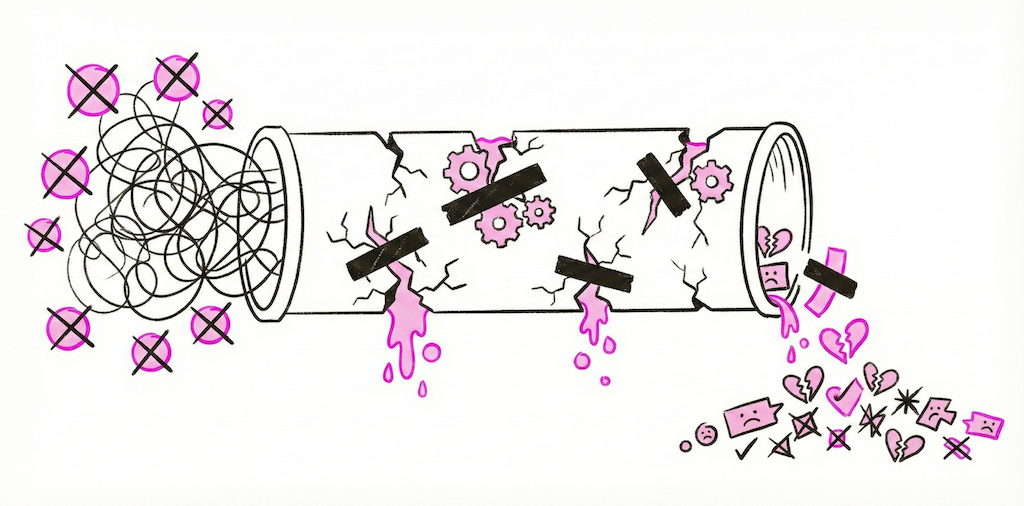
OpenClaw is a powerful open-source framework. The ZeroClaw ecosystem has given developers an incredible foundation for building AI agents that can reason, act, and integrate with real-world services. But there is a wide gap between "I cloned the repo" and "I have production-grade agents running reliably."
We talk to teams every week who spent days or weeks wiring up their own OpenClaw deployment only to hit the same walls. Here are seven mistakes we see repeatedly, what they actually cost you, and how Beetle Den eliminates each one.
Mistake #1: Hardcoding API Keys Instead of Using Encrypted Credential Storage
This is the one that keeps security teams up at night.
What goes wrong: You drop your OpenAI key, Slack token, and CRM credentials directly into environment variables or, worse, into your YAML config files. Those files end up in version control. A contractor clones the repo. An intern pushes to a public fork. Suddenly your keys are on GitHub and bots are racking up charges on your account within minutes.
Even if you avoid the public leak scenario, plaintext credentials in .env files on a shared server mean anyone with SSH access can read every secret your agents use. There is no audit trail, no rotation policy, and no way to revoke a single key without redeploying everything.
How Beetle Den solves it: Every credential in Beetle Den is stored in AES-256 encrypted vaults. Keys are injected into agent containers at runtime and never written to disk. You manage credentials through the dashboard with full audit logging, role-based access control, and one-click rotation. Your API keys never appear in config files, logs, or container images.
Mistake #2: Running Agents Without Sandboxed Execution
AI agents execute code, call APIs, and process untrusted input. Running them on bare metal is asking for trouble.
What goes wrong: An agent with tool-use capabilities receives a malicious prompt. Without sandboxing, it can read your filesystem, access other services on your network, or exfiltrate data. Even without adversarial input, a buggy agent loop can consume all available CPU and memory, taking down other services on the same machine.
Self-hosted OpenClaw setups typically run agents as regular processes. There is no isolation between agents, no resource limits, and no way to contain a runaway execution.
How Beetle Den solves it: Every agent runs inside its own sandboxed Docker container with strict resource limits on CPU, memory, and network access. Containers are ephemeral and isolated from each other. If an agent misbehaves, it gets terminated without affecting anything else. You get the security of full isolation without having to manage Docker, Kubernetes, or container orchestration yourself.
Mistake #3: No Health Monitoring -- Agents Crash Silently
This is the most insidious problem because you do not know it is happening.
What goes wrong: Your agent stops responding to messages on Saturday evening. A webhook delivery fails and the agent process exits. Nobody notices until Monday morning when a prospect complains they never got a response, or worse, when you check your pipeline and realize three days of conversations just vanished.
OpenClaw does not ship with built-in health monitoring. You need to build your own process supervisors, heartbeat checks, alerting pipelines, and restart logic. Most teams skip this during initial setup and regret it within the first week of production use.
How Beetle Den solves it: Real-time health monitoring is built into the platform. Every agent reports heartbeat status, and Beetle Den tracks message throughput, error rates, response latency, and resource usage. If an agent crashes, it is automatically restarted. If it enters a degraded state, you get notified through Slack, email, or webhook before your users notice anything is wrong.
Mistake #4: Separate Bot Per Channel Instead of a Unified Multi-Channel Agent
Fragmentation kills consistency and multiplies your maintenance burden.
What goes wrong: You set up one OpenClaw agent for LinkedIn, another for email, a third for Slack, and maybe a fourth for your website chat widget. Each has its own configuration, its own conversation state, and its own personality quirks. A prospect talks to your LinkedIn agent, then visits your website and gets a completely different experience. Worse, neither agent knows the other conversation happened.
Maintaining multiple separate bots means multiplying every update, every prompt change, and every bug fix across all of them.
How Beetle Den solves it: A single Beetle Den agent connects to 15+ channels out of the box, including LinkedIn, email, Slack, Discord, WhatsApp, Telegram, web chat, and more. One agent, one configuration, one personality, one conversation history. When a prospect moves from LinkedIn DMs to email, the agent carries full context across the transition. You configure once and deploy everywhere.
Mistake #5: Ignoring Memory and Context -- Agents That Forget Everything Between Sessions
Stateless agents are useless for anything beyond single-turn Q&A.
What goes wrong: A lead tells your agent on Tuesday that they are evaluating solutions for their 50-person sales team and have a budget review next month. On Thursday, the same lead sends a follow-up question and the agent asks "Can you tell me about your team size and timeline?" as if they have never spoken. The lead feels ignored and moves on.
OpenClaw provides primitives for memory, but wiring up persistent storage, implementing retrieval logic, managing context windows, and handling memory across channels requires significant engineering effort. Most self-hosted setups default to stateless operation because adding memory is complex.
How Beetle Den solves it: Beetle Den uses a persistent hybrid memory system that combines short-term conversational context with long-term relational memory. Every interaction is stored, indexed, and retrievable. Agents remember past conversations, stated preferences, objections, and timeline details. Memory works seamlessly across all channels so context is never lost, regardless of where the conversation continues.
Mistake #6: Over-Engineering YAML Configs When You Should Use a Managed Platform
Configuration complexity is a time sink that compounds over time.
What goes wrong: You start with a simple YAML file defining your agent's tools and prompts. Then you need environment-specific overrides. Then conditional logic for different channels. Then template variables for personalization. Then version management so you can roll back changes. Before you know it, you have built a bespoke configuration management system that only one person on your team understands, and they are about to go on vacation.
The OpenClaw ecosystem is powerful precisely because it is flexible. But flexibility without guardrails means you can spend more time maintaining infrastructure than actually building the agent behaviors that matter to your business.
How Beetle Den solves it: Zero-config deployment. You define your agent's behavior, persona, and tools through the dashboard or a minimal config file. Beetle Den handles environment management, versioning, rollbacks, scaling, and orchestration. When you need to update a prompt, you change it in one place and it propagates everywhere. No YAML sprawl, no deployment scripts, no infrastructure to maintain.
Mistake #7: No Rate Limiting -- Agents That Get Your Accounts Banned
Platform bans are expensive and often permanent.
What goes wrong: Your LinkedIn agent sends 200 connection requests in an hour because you forgot to add throttling. LinkedIn flags the activity as automated, restricts your account, and you lose access to a profile with thousands of connections and years of content. The same thing happens with email when you blast 500 cold emails from a new domain and land on every spam blacklist simultaneously.
OpenClaw does not enforce rate limits for external services. It sends requests as fast as your code tells it to. Without careful implementation of per-platform throttling, backoff logic, and daily caps, it is only a matter of time before an account gets flagged or banned.
How Beetle Den solves it: Built-in rate limiting is configured per channel with sensible defaults based on each platform's known thresholds. LinkedIn gets conservative daily caps with randomized delays between actions. Email sending respects domain warm-up schedules and per-provider sending limits. Every outbound action goes through a rate limiter that you can tune but never have to build. If an agent approaches a limit, it gracefully queues remaining actions instead of blasting through.
The Bigger Picture
Each of these mistakes is solvable individually. You can set up HashiCorp Vault for secrets. You can configure Docker yourself. You can build monitoring with Prometheus and Grafana. You can write your own rate limiter.
But solving all seven means building and maintaining a platform. That is weeks of engineering time that does not go toward making your agents smarter, your outreach more effective, or your customers happier.
Beetle Den exists so you do not have to build that platform. It is the managed infrastructure layer for the ZeroClaw ecosystem, handling security, isolation, monitoring, multi-channel deployment, memory, configuration, and rate limiting so you can focus entirely on what your agents actually do.
Stop wrestling with infrastructure and start building agents that deliver results. Get started with Beetle Den — $19/month per agent, everything included.