


Building AI agent skills from scratch is a trap. You spend weeks wiring up integrations, writing prompt chains, and debugging edge cases — only to end up with something that barely covers one use case.
If you have ever tried setting up an OpenClaw agent yourself, you know the pain. You are responsible for the infrastructure, the skill logic, the deployment pipeline, and the ongoing maintenance. It works, but it is slow, fragile, and entirely on you.
Beetle Den takes a different approach. As a managed platform built on the ZeroClaw framework, it gives you production-ready agent skill templates that you can deploy in minutes — not months. Your agent connects to Slack, Discord, Telegram, and dozens of other chat interfaces, and each one can leverage hundreds of skills simultaneously.
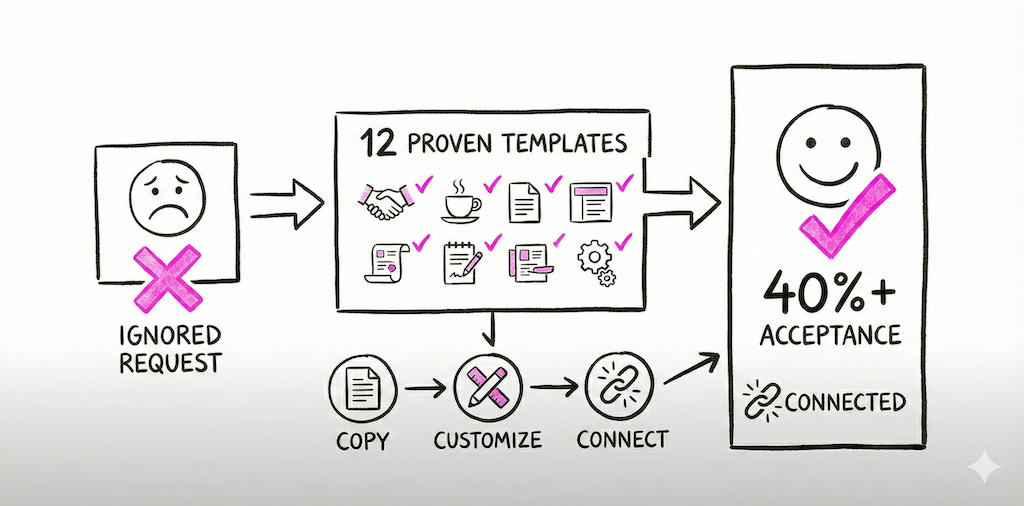
Here are 12 templates to get you started, organized by the teams that need them most.
DevOps & Infrastructure
1. Incident Response Coordinator
When an alert fires at 2 AM, you do not want your on-call engineer fumbling through runbooks. This skill monitors your alerting channels (PagerDuty, Opsgenie, Datadog) and immediately kicks off a structured response: creates an incident channel, pages the right team, pulls recent deployment logs, and posts a real-time timeline. With a self-hosted OpenClaw setup, you would need to wire up each integration individually and maintain the orchestration logic yourself. On Beetle Den, the template ships with pre-built connectors and a battle-tested escalation flow.
2. Deployment Notification Hub
Every deployment should be visible to the people who care about it. This skill watches your CI/CD pipeline (GitHub Actions, GitLab CI, Jenkins) and posts rich, contextual notifications to the right channels. It includes commit summaries, linked PRs, rollback instructions, and environment status. No more "did that deploy go out?" messages in Slack. The template handles multi-environment setups out of the box — staging, production, canary, whatever your pipeline looks like.
3. Log Analysis Assistant
Searching through logs should not require a PhD in regex. This skill lets your team query application logs through natural language in any connected chat interface. Ask it "show me all 500 errors from the payments service in the last hour" and it translates that into the right query for your logging stack — whether that is Elasticsearch, Loki, or CloudWatch. It surfaces patterns, highlights anomalies, and can even correlate log spikes with recent deployments.
Customer Support
4. Ticket Triage Engine
Support volume spikes are inevitable. This skill automatically categorizes incoming tickets by urgency, product area, and customer tier. It reads the ticket content, cross-references the customer's account data, and routes it to the right queue with a suggested priority. Teams using this template typically see a 40% reduction in first-response time because tickets land in front of the right person immediately, instead of sitting in a general inbox.
5. FAQ Bot with Context
Most FAQ bots are embarrassingly bad because they rely on keyword matching against a static list. This skill is different. It indexes your help center, internal docs, and past ticket resolutions to generate answers that actually address the customer's specific situation. When it does not have a confident answer, it says so and hands off to a human — cleanly, with the full conversation context attached. Deploy it across Slack, Discord, Telegram, or your web chat widget simultaneously.
6. Escalation Handler
Not every issue should hit a human at the same speed. This skill monitors ongoing support conversations and detects when a situation is escalating — repeated contacts, negative sentiment, VIP accounts, or SLA deadlines approaching. It automatically bumps priority, notifies the relevant manager, and compiles a summary of the issue history so the escalation recipient is not starting from zero. In a manual OpenClaw setup, building reliable sentiment detection and SLA tracking requires significant custom work. The Beetle Den template handles it natively.
Sales & Marketing
7. Lead Qualification Agent
Your sales team should not be spending time on leads that will never close. This skill evaluates inbound leads against your ideal customer profile by pulling data from your CRM, enrichment tools, and website activity. It scores each lead, writes a brief qualification summary, and routes hot leads directly to the right rep's channel with all the context they need. Cold leads get added to a nurture sequence automatically. The template supports Salesforce, HubSpot, and Pipedrive out of the box.
8. Meeting Scheduler
The back-and-forth of scheduling is a productivity killer. This skill handles the entire flow: it checks calendar availability across participants, proposes times, sends invites, adds agenda items, and even generates a pre-meeting brief with relevant context about the attendee (pulled from your CRM and recent communication history). It works through any chat interface your team already uses, so reps can trigger it mid-conversation without switching tools.
9. CRM Updater
CRM data decays fast when reps are responsible for manual entry. This skill listens to your team's conversations and activity — emails sent, meetings booked, deals discussed in Slack — and keeps your CRM records current automatically. It updates deal stages, logs activities, and flags records that look stale or inconsistent. Your pipeline data stays accurate without anyone needing to open the CRM interface.
Internal Ops
10. Onboarding Assistant
A new hire's first week sets the tone for everything that follows. This skill delivers a structured onboarding experience through the chat platform your team already uses. It sends welcome messages, schedules introductions, shares relevant documentation at the right time, tracks completion of required tasks, and answers common new-hire questions by pulling from your internal knowledge base. Managers get a dashboard view of onboarding progress without needing to micromanage.
11. Knowledge Base Search
Your company's knowledge is scattered across Notion, Confluence, Google Drive, Slack threads, and a dozen other places. This skill unifies all of it behind a single natural-language interface. Ask a question in any connected chat channel and it searches across every connected source, ranks results by relevance and recency, and delivers a synthesized answer with source links. It gets smarter over time by tracking which results people actually find helpful.
12. Standup Summarizer
Daily standups are useful in theory and tedious in practice, especially for distributed teams. This skill collects async standup updates from your team (through Slack, Discord, or any connected interface), identifies blockers, highlights dependencies between team members, and posts a clean summary to your team channel. Managers get a digest that surfaces the signals that matter — blocked work, scope changes, and items at risk — without reading through every individual update.
Why Templates Beat Building from Scratch
Every one of these skills would take days or weeks to build on a raw OpenClaw setup. You would need to handle authentication for each integration, write the orchestration logic, manage the deployment infrastructure, and maintain it all as APIs change and requirements evolve.
Beetle Den templates eliminate that overhead. Each template is:
- Pre-integrated with the most common tools in its category
- Multi-channel by default — deploy once, reach your team on Slack, Discord, Telegram, and more
- Customizable without touching infrastructure — adjust prompts, thresholds, and routing rules through the dashboard
- Maintained by the Beetle Den team — when an API changes, the template updates automatically
You still get the full power of the ZeroClaw framework underneath. If you need to customize a template beyond what the dashboard offers, you can drop into the skill definition and modify it directly. You are not locked into a no-code box.
Get Started
These 12 templates are just the beginning. The Beetle Den skill library is growing every week, and every agent you create can use as many skills as your workflow demands.
Stop building plumbing. Start building workflows that matter.
Ready to deploy your first agent skill in minutes? Get started with Beetle Den — $19/month per agent, everything included.